

AI coding tools can reduce repetitive work, handle broader code changes, and support developers across the software development lifecycle. The right choice depends on how the team works, how much autonomy it wants to give the tool, and how generated changes are reviewed.
This guide covers five notable tools and groups them by how they fit into the development workflow. It compares their repository access, agentic capabilities, model support, review experience, and pricing without forcing a single ranking.
Several of these tools also connect to Braintrust through its integrations and MCP server. Teams building AI features can access Braintrust evals, logs, and experiments from their coding environment, then evaluate and monitor what reaches production.
The three types of AI coding tools
Most AI coding tools follow one of three operating patterns, and the main difference lies in where the tool operates in the development process and how much of a task it can complete before a developer reviews the result.
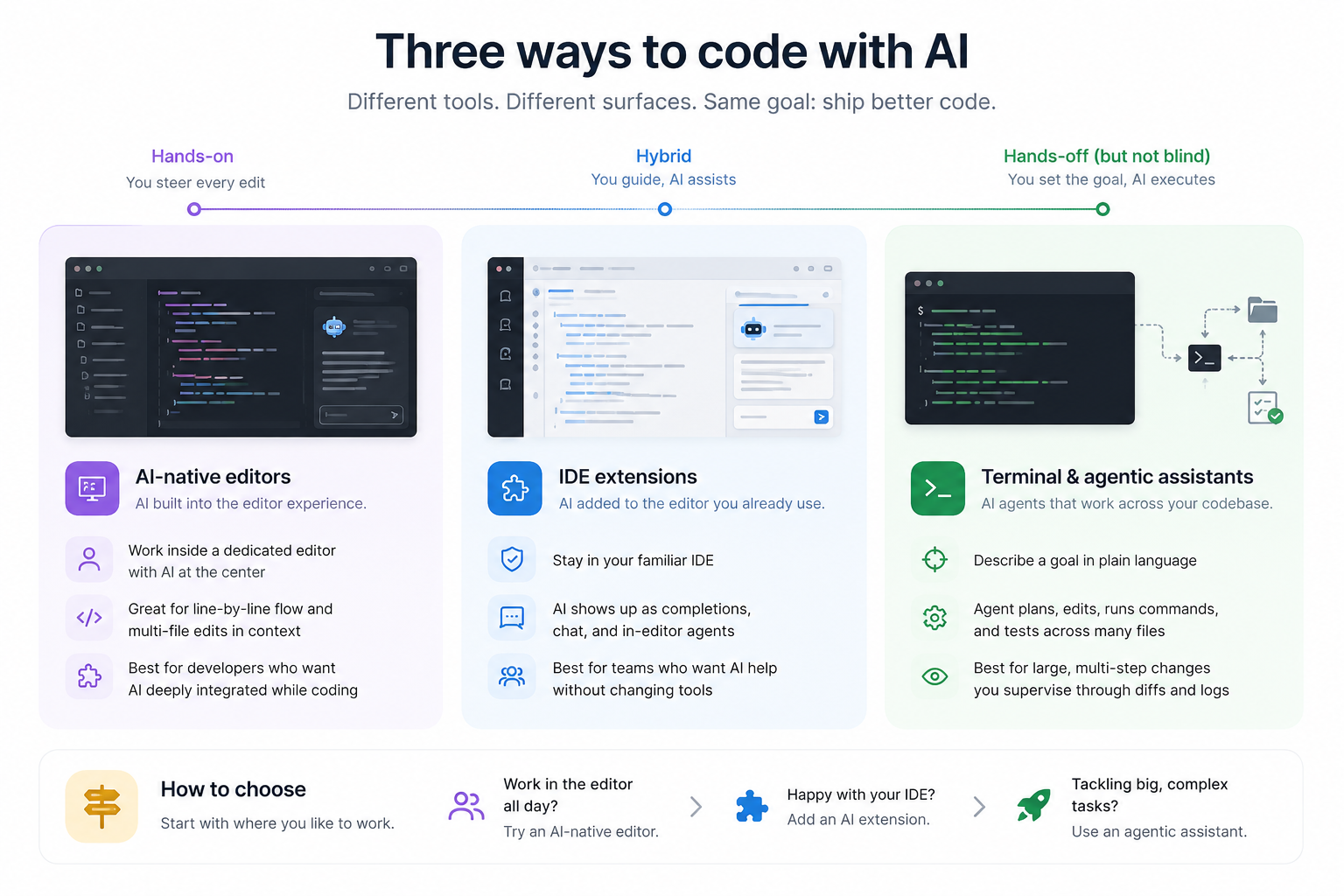
Standalone AI editors: Cursor and Windsurf replace the primary coding environment with editors that put codebase context, inline suggestions, chat, and multi-file changes at the center. Both are based on VS Code, so teams can usually carry over extensions, themes, and keybindings. They suit developers who want continuous AI assistance within a single workspace and are comfortable adopting a separate editor.
Extensions for existing IDEs: GitHub Copilot adds completions, chat, and agent features to tools such as VS Code, JetBrains IDEs, Visual Studio, Xcode, and Neovim. Teams keep their current setup and working habits, while the AI remains tied to the capabilities available through the extension.
Command-line and delegated agents: Claude Code and Codex work across a repository from the terminal or in background environments. A developer provides a task, and the agent can inspect files, plan changes, run commands or tests, and return a diff for review. This operating pattern suits larger, multi-step work, with supervision handled through logs, test results, and code review.
The 5 AI coding tools worth knowing
1. Cursor: AI-native code editor
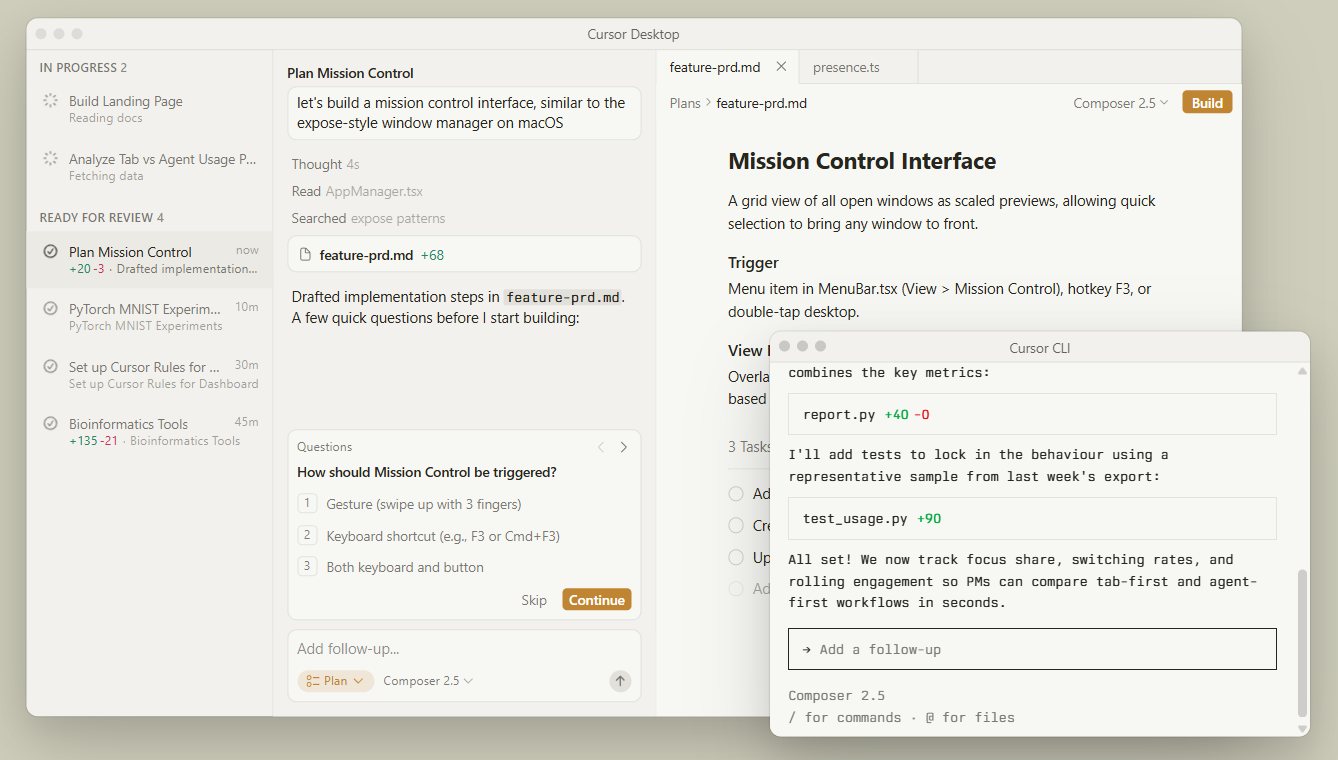
What it is: Cursor is a standalone AI code editor that combines project-aware chat, code generation, inline suggestions, and agent-led changes in one workspace. Developers moving from VS Code can import their settings, extensions, themes, and keybindings during setup.
Known for: Cursor combines Tab completions with agents that can inspect a repository, edit several files, run commands, and review the resulting changes. It supports multiple frontier models and allows developers to use MCP servers, project rules, skills, and hooks within the editor.
Commonly used for: Cursor fits day-to-day development where engineers move between small inline changes and broader agent-led tasks without leaving the editor. Typical work includes feature development, bug fixes, repository exploration, and coordinated updates across related files.
Worth noting: Cursor requires developers to adopt a separate editor. Its VS Code foundation reduces migration work, but teams still need to test extension compatibility and confirm that existing development controls carry over. Cursor also supports cloud agents that continue working without an active laptop connection, so teams should define review and repository-access requirements for remotely executed tasks.
Pricing: The Hobby plan is free with limited Agent requests and Tab completions. Pro starts at $20 per month, with higher tiers and usage-based charges available for heavier use.
Braintrust integrates with Cursor, giving developers access to evals, logs, and experiments from inside the editor.
2. Claude Code: terminal-based agentic coding assistant
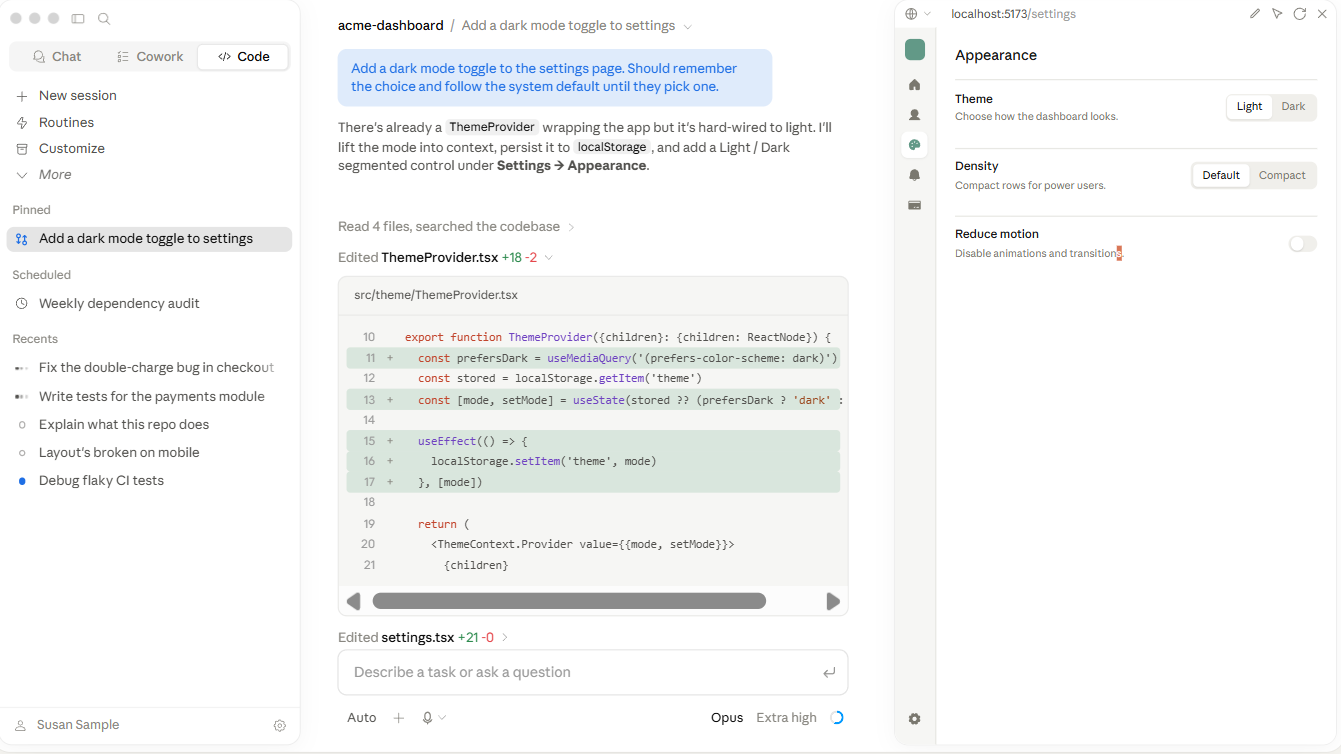
What it is: Claude Code is Anthropic's agentic coding tool for terminal and IDE workflows. It can read repository files, edit code, run commands, execute tests, and connect to development systems through MCP.
Known for: Claude Code handles multi-step work across a repository. Developers can describe a broader objective, allow the agent to inspect the relevant code, and review the implementation after it runs commands and tests. Repository instructions stored in CLAUDE.md, along with hooks and subagents, allow teams to shape how the agent works.
Commonly used for: Claude Code suits refactors, debugging, test updates, feature work across several files, pull request preparation, and scripted development tasks. Teams can use it beside a graphical editor, with the editor serving as the main surface for reviewing the resulting changes.
Worth noting: Claude Code starts with read-only access and requests permission before editing files or running commands that change the system. Teams can modify those controls through shared settings and permission modes, so organization-level configurations should be reviewed before broader deployment.
Pricing: Claude Code is included with Claude Pro, Max, Team, and Enterprise plans. Claude Pro starts at $20 per month, while API-based use through the Anthropic Console is billed separately.
Braintrust integrates with Claude Code, connecting the agent to evals, experiments, and production logs.
3. GitHub Copilot: AI coding extension for VS Code
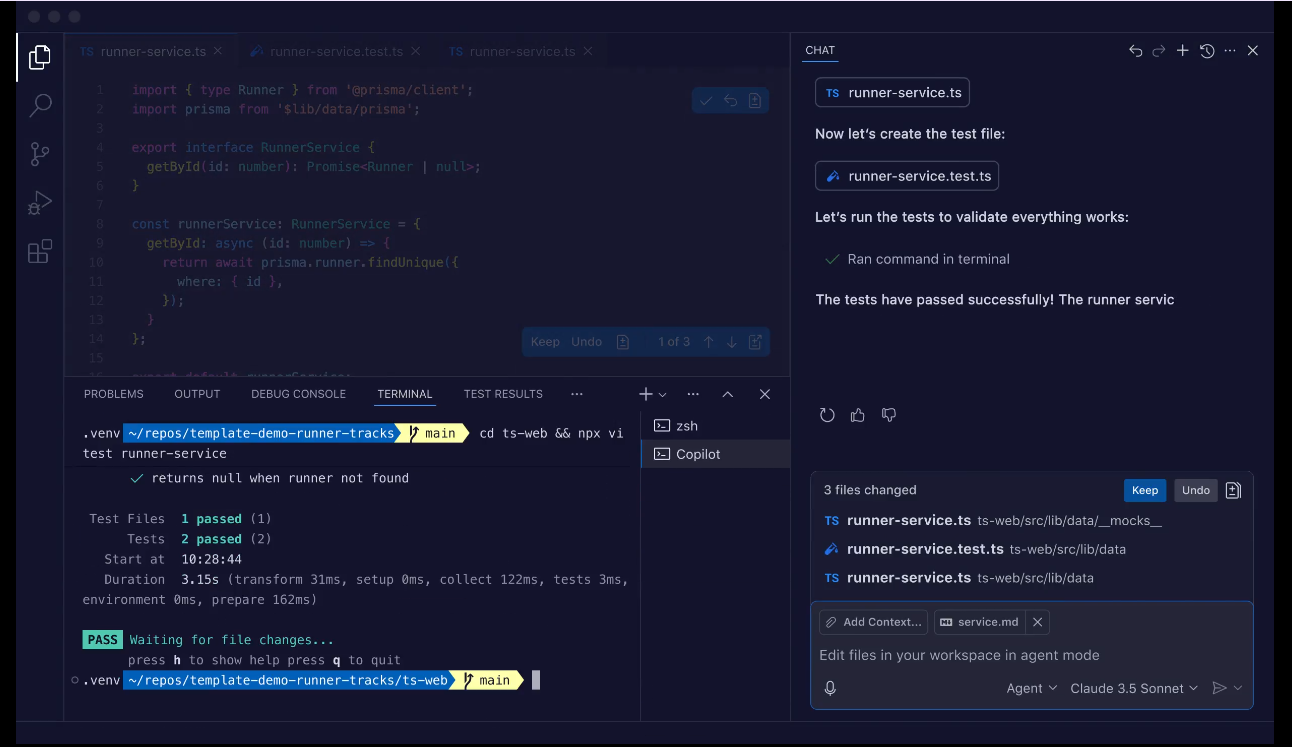
What it is: GitHub Copilot adds AI assistance to supported editors and GitHub repositories. Its capabilities include inline completions, chat, agent mode, code review, and a cloud agent that can research a repository, make changes on a branch, and prepare a pull request.
Known for: Copilot connects active coding inside an IDE with repository work on GitHub. Developers can use suggestions while writing code, move to agent mode for broader edits, or assign suitable issues to the cloud agent for asynchronous execution.
Commonly used for: Copilot fits teams that want AI assistance without replacing their current editor or GitHub process. It works well for organizations already standardized on GitHub and supported IDEs that want completions, chat, and agent features within the existing development environment.
Worth noting: Feature availability varies by editor and plan. VS Code offers a broader set of agent, customization, and workspace features than some other supported environments, so teams should review the feature matrix before adopting Copilot across multiple IDEs.
Pricing: Copilot Free includes up to 2,000 code completions per month with limited AI usage. Copilot Pro starts at $10 per month, while Pro+ and Max offer larger AI credit allowances and access to additional models.
4. Devin Desktop, formerly Windsurf: AI-native editor with agentic flows
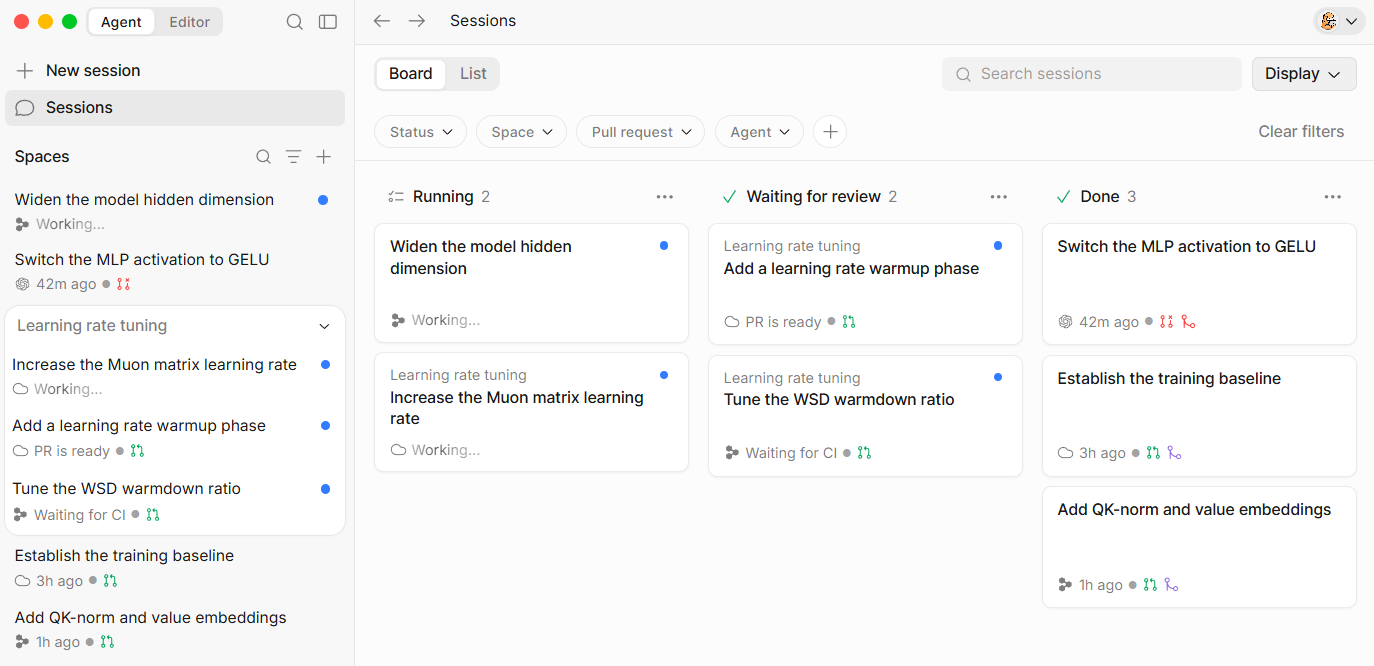
What it is: Cognition acquired Windsurf in July 2025 and introduced Devin Desktop as its successor in June 2026. The product retains a full code editor while making the Agent Command Center the default surface for managing local agents, cloud agents, pull requests, and shared context.
Known for: Devin Desktop brings local coding, cloud delegation, and multi-agent supervision into one interface. It remains compatible with Windsurf and VS Code settings, extensions, keybindings, language servers, and existing editor workflows. It can also run compatible third-party agents through the Agent Client Protocol.
Commonly used for: Devin Desktop suits developers who want a graphical editor while coordinating several local or cloud tasks. Engineers can inspect files directly, make manual changes, and supervise longer-running agent sessions from the same application.
Worth noting: The product has moved from Windsurf's original AI-editor positioning toward broader agent management. Reviews and documentation written for earlier Windsurf versions may no longer represent the current interface, agent architecture, or billing structure.
Pricing: Devin Desktop has a free plan. Pro starts at $20 per month, Max costs $200 per month, and team plans begin with a monthly base fee plus full-user seats. Additional usage can be billed separately.
Braintrust integrates with Devin Desktop, providing access to evals, logs, and experiments from the editor.
5. Codex: OpenAI's agentic coding tool
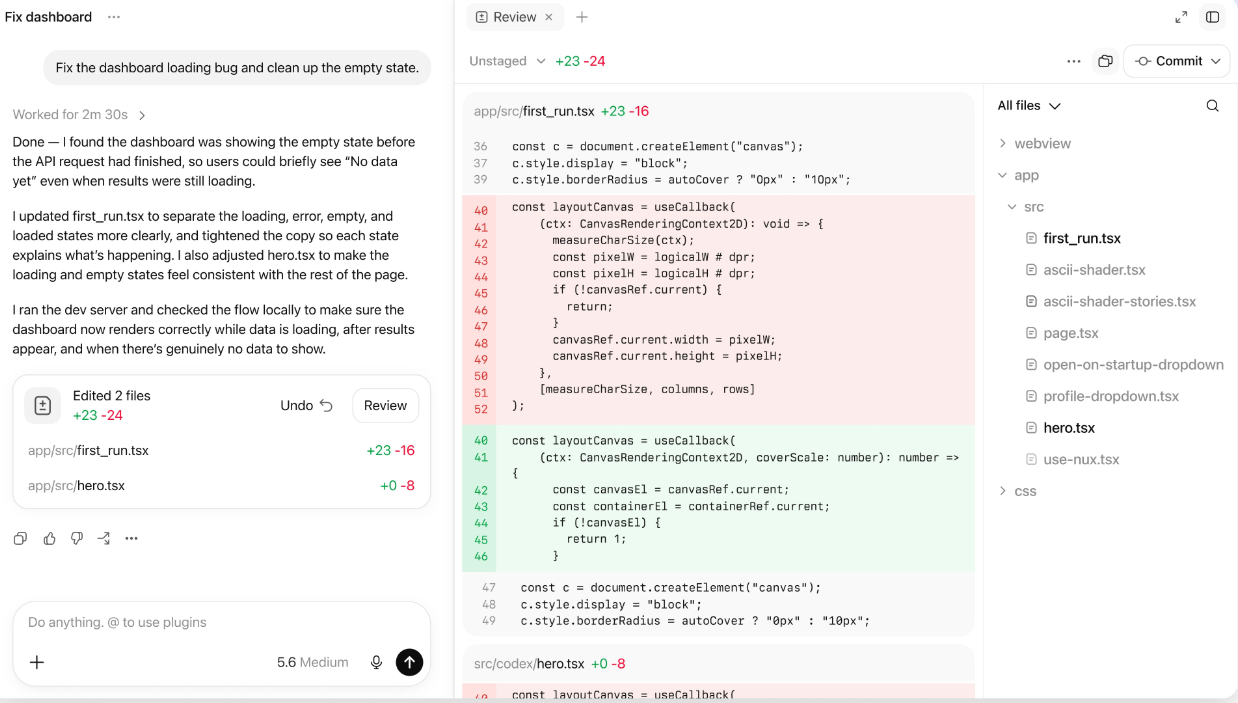
What it is: Codex is OpenAI's coding agent for terminal, IDE, desktop, and cloud workflows. It can inspect code, edit files, run commands, and complete delegated tasks in local projects or isolated cloud environments.
Known for: Codex supports asynchronous execution and parallel cloud tasks. Developers can delegate work from the IDE, command line, GitHub, Linear, or Slack, then review the resulting diff and execution history when the task finishes.
Commonly used for: Codex fits scoped assignments such as fixing bugs, updating tests, refactoring modules, reviewing pull requests, and preparing migrations. Separate cloud environments allow several tasks or implementation attempts to run without occupying the developer's local machine.
Worth noting: Codex uses OpenAI models and does not offer the multi-provider selection available in tools like Cursor or Copilot. Cloud tasks also depend on configured environments and repository access, so teams should standardize setup instructions before delegating work across projects.
Pricing: Codex is included across ChatGPT plans, starting with the Free tier. Usage limits vary by plan, and additional credits are available when included usage is exhausted.
Braintrust integrates with Codex, connecting delegated coding work to evals, experiments, and logs.
Other AI coding tools worth knowing
Three additional tools address narrower development preferences, and all three have integrations with Braintrust.
OpenCode is an open-source coding agent available through a terminal interface, desktop app, web interface, and IDE integration. It supports more than 75 model providers and can also run local models. Braintrust provides an OpenCode plugin for tracing sessions and accessing logs, experiments, and projects, while the MCP server offers a separate route to Braintrust data.
pi is a minimal terminal coding harness for teams that want to shape the agent through TypeScript extensions, skills, prompt templates, and themes. The Braintrust extension traces pi sessions, model calls, and tool executions, while the SDK integration supports programmatic agent workflows.
Claude Desktop is Anthropic's general desktop application, not a dedicated code editor. Its local and remote MCP support makes it suitable for lighter coding work or tasks that combine repository context with external systems. The Braintrust MCP server allows Claude Desktop to query experiments, search documentation, and analyze production logs.
AI coding tools compared side by side
The table below compares the five tools by workflow, repository context, task execution, model choice, review surface, and entry price.
| Dimension | Cursor | Claude Code | GitHub Copilot | Devin Desktop, formerly Windsurf | Codex |
|---|---|---|---|---|---|
| Primary workflow | Standalone AI editor, with CLI and cloud-agent surfaces | Terminal-first, with IDE, desktop, and browser interfaces | Extensions for supported IDEs, plus GitHub and CLI surfaces | Standalone AI IDE for local and cloud-agent work | CLI, IDE extension, desktop app, web, and cloud tasks |
| Repository context | Indexes the project and uses semantic and text search | Reads and searches repository files as needed; supports project instructions through CLAUDE.md | Uses editor and workspace context; Copilot Enterprise can index organization codebases | Local agents use project context; Devin Cloud runs tasks in separate virtual machines | Works from a local project or a configured cloud environment; desktop tasks can use isolated worktrees |
| Agent execution | Handles multi-file edits in the editor; cloud agents and automations support asynchronous work | Edits files, runs commands and tests, creates commits or pull requests, and supports CI and scheduled tasks | Agent mode works inside the IDE; the cloud agent can handle assigned work and prepare pull requests | Combines Devin Local with Devin Cloud and manages concurrent sessions through the Agent Command Center | Runs local or cloud tasks and supports several delegated jobs in parallel |
| Model options | Multiple frontier models and Cursor models; availability depends on the plan | Claude models, delivered through Anthropic or supported cloud providers | Broad multi-provider model catalog with plan-based access | Cognition SWE models plus selected Claude, GPT, and Gemini models | OpenAI models only |
| Review surface | In-editor diffs, agent transcripts, checks, and cloud-task results | Terminal output or visual diffs in the IDE, desktop app, and browser | In-editor changes, GitHub pull requests, and Copilot code review | Integrated editor, Agent Command Center, and pull request review | Reviewable diffs and execution history across the CLI, IDE, desktop app, and cloud |
| Free access | Hobby plan with limited Agent requests and Tab completions | No standalone free tier; requires an eligible Claude plan or usage-based Console access | Free plan with 2,000 monthly completions and a limited AI-credit allowance | Free plan with a light agent quota and limited model access | Included with ChatGPT Free under plan-specific limits |
| Starting paid price | Pro at $20/month | Claude Pro at $20/month, or usage-based API billing | Copilot Pro at $10/user/month | Pro at $20/month | ChatGPT Go at $8/month |
Matching AI coding tools to use cases
Which tool fits best comes down to how developers prefer to work, how much repository access the tool needs, and when human review should occur.
Cursor suits developers who want AI embedded throughout the editing process. Its VS Code foundation makes it easier to move between inline changes, codebase questions, and larger agent-led tasks within a single workspace.
GitHub Copilot works well for teams that want to keep their current IDE and GitHub process. Developers can start with completions and chat, then use agent features for broader work without adopting a separate editor.
Claude Code is a strong option for repository-wide work from the terminal. It can plan changes, edit multiple files, run commands, and execute tests while the developer reviews progress through logs and diffs.
Devin Desktop serves developers who prefer a graphical environment for supervising local and cloud agents. It combines direct code editing with a command center for managing several tasks.
Codex is suited to well-scoped assignments that can run independently. Separate environments allow teams to delegate several tasks and review each diff before applying the changes.
Many teams combine an editor-based assistant with a terminal or cloud agent. The editor supports interactive development, while the agent handles larger tasks that can continue independently. When both tools can modify the same codebase, clear repository permissions and review requirements prevent conflicting edits and unreviewed changes from reaching the main branch.
For teams using coding assistants to build AI features, faster implementation does not confirm that the feature performs reliably. Braintrust integrations and its MCP server connect supported coding environments to evals, experiments, and production logs, allowing developers to test changes before release and monitor behavior after deployment.
Start free with Braintrust to evaluate the AI features you build with these tools.
FAQs: Best AI coding tools in 2026
What is the difference between an AI code editor, an IDE extension, and a terminal agent?
An AI code editor serves as the main development workspace and integrates AI for code completions, chat, planning, and multi-file changes. An IDE extension adds similar capabilities to software the team already uses. A terminal agent works from the command line, where it can inspect a repository, edit files, run tests, and return a diff for review. The best format depends on where developers want the work to happen and how they prefer to inspect changes.
Do AI coding tools replace my IDE?
Standalone AI editors such as Cursor and Devin Desktop replace the primary editor. GitHub Copilot stays inside supported IDEs, while Claude Code and Codex can work alongside the editor through terminal, desktop, or cloud interfaces. Teams can adopt agentic coding without changing the environment where engineers write and review code.
Which AI coding tools are free and which are paid?
Cursor, GitHub Copilot, Devin Desktop, and Codex offer free access with usage limits. Claude Code requires an eligible Claude subscription or usage-based billing through the Anthropic Console. Paid plans generally increase agent usage, model access, and background task capacity, so the monthly cost should be assessed against the expected workload.
How do Cursor, Claude Code, and Copilot differ?
The three differ in where the AI operates and what adopting each one requires. Cursor asks the team to switch editors in exchange for AI woven through the whole editing surface. Copilot leaves the existing IDE and GitHub process untouched and works within the scope exposed by the extension. Claude Code sits outside the editor entirely, taking whole tasks from the terminal and returning diffs for review. Teams often narrow the choice by deciding how much workflow change they can absorb.
How do I evaluate the AI features I build with these tools?
Build an evaluation dataset from real user requests, expected outputs, and known failure cases. Score each version for task accuracy, safety, latency, and cost, then set release thresholds for the metrics that affect users. After deployment, trace production behavior and add new failures to the evaluation set. Braintrust connects supported coding tools to evals, experiments, and production logs via its integrations and MCP server, enabling developers to run the process from their coding environment.